Top 5 Best Chromebooks in 2026: Fast, Simple and Affordable
The 5 best Chromebooks for students, families and travel — including the best Chromebook Plus models, 2-in-1s and budget picks — with pros, cons and buying tips.
The verdict
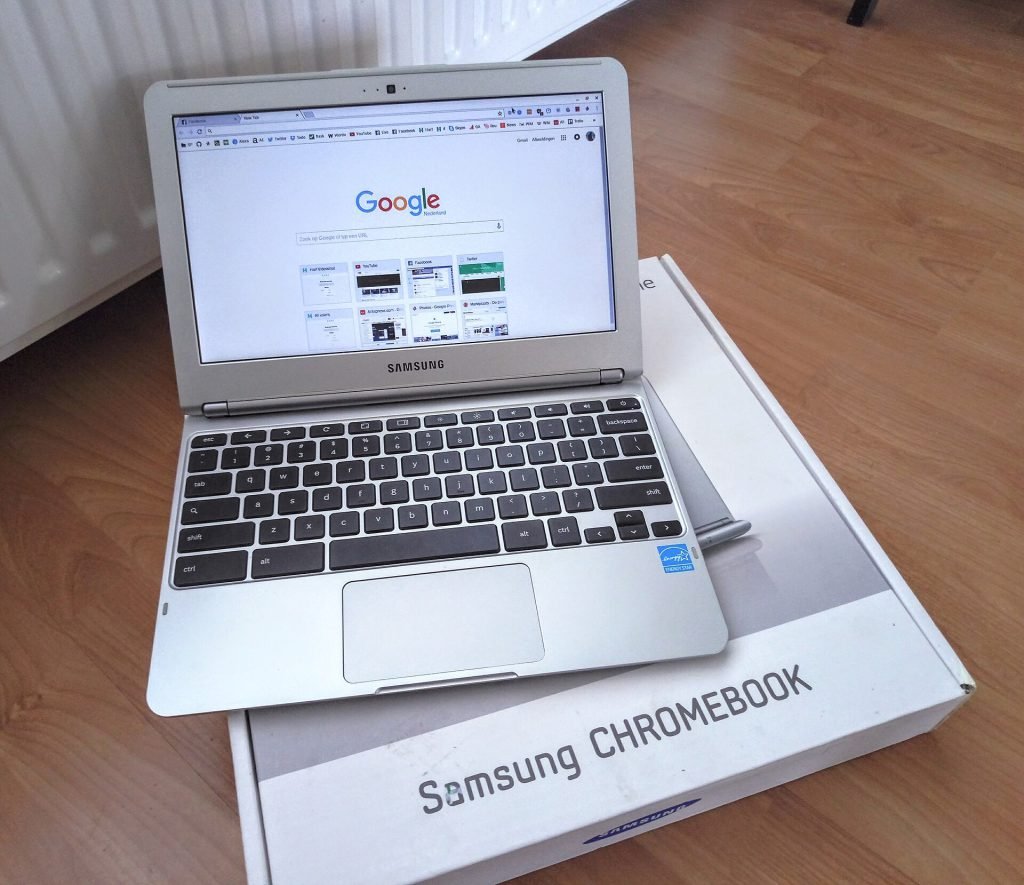
Acer Chromebook Plus 514
The Acer Chromebook Plus 514 is the best Chromebook for most people; the Lenovo Chromebook Plus 14 is the premium pick.
Chromebooks are fast, secure and refreshingly simple. They boot in seconds, update themselves in the background and are almost impossible to slow down with clutter — which makes them ideal for students, families and anyone who works mainly in a web browser.
Since Google introduced the Chromebook Plus standard, even affordable models come with capable processors, 8GB of memory and good webcams. Here are the five Chromebooks we would buy.
Our top picks at a glance
- Best overallAcer Chromebook Plus 514
- Best premium ChromebookLenovo Chromebook Plus 14
- Best budgetASUS Chromebook Plus CX34
- Best 2-in-1HP Chromebook Plus x360
- Best for kids and travelLenovo Chromebook Duet 11
| Model | Why we picked it | Where to buy |
Acer Chromebook Plus 514 |
||
Lenovo Chromebook Plus 14 |
||
ASUS Chromebook Plus CX34 |
||
HP Chromebook Plus x360 |
||
Lenovo Chromebook Duet 11 |
How we chose
We compared each Chromebook against its closest rivals at the same price using manufacturer specifications, independent test data and long-term owner feedback from verified buyers. Every pick is scored out of 10 on performance, value, build quality and longevity — see our editorial policy. We never accept payment for placement.
The 5 best Chromebooks in 2026
1. Acer Chromebook Plus 514 — Best overall
The Acer Chromebook Plus 514 hits the sweet spot of price and performance. It is quick enough for dozens of tabs, video calls and Google’s AI features, and the 14-inch screen is comfortable for work and study.
Build quality is mostly plastic, but it feels sturdy and the keyboard is comfortable for long typing sessions.
2. Lenovo Chromebook Plus 14 — Best premium Chromebook
Lenovo’s flagship Chromebook Plus pairs a fast chip with a bright OLED display and long battery life. It is the Chromebook to buy if you want a premium experience and plan to keep it for years.
It costs more than typical Chromebooks, approaching budget Windows laptops.
3. ASUS Chromebook Plus CX34 — Best budget
The CX34 is one of the most affordable Chromebook Plus models, meaning you get the guaranteed performance baseline without paying extra. It handles schoolwork, streaming and email with ease.
The screen is not especially bright and the design is basic, but the value is hard to beat.
4. HP Chromebook Plus x360 — Best 2-in-1
HP’s convertible Chromebook flips into tablet or tent mode, making it great for watching video, reading or drawing with a compatible USI stylus. Android apps from the Play Store feel natural on the touchscreen.
It is a little heavier than clamshell models.
5. Lenovo Chromebook Duet 11 — Best for kids and travel
The Duet is a small detachable Chromebook that works as a tablet for reading and streaming, and a laptop when you snap on the included keyboard. It is ideal for kids and as a travel companion.
The small keyboard is cramped for long essays, and performance is modest.
Comparison at a glance
| Product | Best for | Our score |
|---|---|---|
| Acer Chromebook Plus 514 | Most people | 8.8/10 |
| Lenovo Chromebook Plus 14 | Power users | 8.7/10 |
| ASUS Chromebook Plus CX34 | Tight budgets | 8.3/10 |
| HP Chromebook Plus x360 | Touch and pen users | 8.2/10 |
| Lenovo Chromebook Duet 11 | Kids, reading and travel | 8.0/10 |
Is a Chromebook right for you?
Chromebooks are perfect if you mainly use the web, Google Docs, Microsoft 365 online, streaming services and Android apps. They are less suitable if you need full desktop software such as Adobe Premiere, specialised engineering tools or most PC games.
- Look for the Chromebook Plus badge — it guarantees a capable processor, at least 8GB RAM, 128GB storage and a 1080p webcam.
- Check the update date — Google publishes an Auto Update Expiration date for every model.
- Consider a 2-in-1 if you want to use Android apps or draw with a pen.
Chromebook tips
Frequently asked questions
Are Chromebooks good for students?
Yes. They are affordable, secure, fast to boot and ideal for web-based schoolwork. Check your course requirements for any Windows-only software.
Can Chromebooks run Microsoft Office?
Yes — Microsoft 365 works in the browser and many Office apps are available as web apps.
How long do Chromebooks get updates?
Recent Chromebooks receive around ten years of automatic updates from their release date.
Need a full Windows or Mac laptop? See our best laptops for students.
Find your Chromebook
Chromebooks are frequently discounted around back-to-school season.